7 Best Desktop 3D Scanners in 2026
The Revopoint MetroX is the best desktop 3D scanner for most people who need accurate, small-to-medium object scans, because it combines blue laser and structured light modes in one unit. For hands-off, turntable-based scanning of small parts, look at the EinScan-SP V2. If you need to scan large objects or rooms, the Creality CR-Scan Otter covers a wider range at a lower price.
 By Shihab Mia · Published 22 Nov 2026
We run no ads and no affiliate links at launch. The order of a list follows our published method. How lists are ordered: how we score.
Prices are the starting prices vendors list publicly. Plans change, so confirm the current price on the vendor page before you buy.
Key takeaways
- Desktop scanners split into two families: structured-light units for detail and laser units for larger or darker objects.
- Prices for current models run from roughly a few hundred dollars to several thousand; check each vendor site for the exact figure.
- Accuracy is usually quoted per model in the vendor datasheet, often as a single-point or volumetric figure.
- Most scanners ship with their own capture software; some also offer a free tier or free viewer.
- Scan volume and minimum object size matter more than headline accuracy for most buyers.
Side-by-side
Grouped by fit and cost. Tap a product to jump to its full entry.
| Fit | Cost | |||
|---|---|---|---|---|
| Product | Best for | Standout feature | Listed starting price | Free plan or trial |
| 1Revopoint MetroX | Accurate mixed-mode scanning of small to medium objects | Blue laser plus structured light modes | Check current retail price | One-time hardware purchase |
| 2EinScan-SP V2 | Small parts scanned automatically on a turntable | Automated turntable workflow | Check current retail price | One-time hardware purchase |
| 3Creality CR-Scan Otter | Scanning a wide range of object sizes | Handles small and large objects | Check current retail price | One-time hardware purchase |
| 4Revopoint MIRACO | Standalone scanning without a tethered PC | Built-in screen and processing | Check current retail price | One-time hardware purchase |
| 5Shining 3D EinScan H2 | Human and organic subjects | Designed for human and organic scanning | Check current retail price | One-time hardware purchase |
| 6Creality CR-Scan Raptor | Fine detail on small objects | Multiple laser modes for detail | Check current retail price | One-time hardware purchase |
| 73DMakerpro Seal | Budget entry-level scanning | Lower entry price | Check current retail price | One-time hardware purchase |
How we picked
We compared these scanners using vendor product pages, published datasheets, and official software documentation. We looked at capture technology, quoted accuracy and scan volume, software support, and the vendor's own published pricing. We did not run hands-on lab tests. Where a figure was not clearly stated by the vendor, we described it qualitatively rather than guessing. The goal is to help you match a scanner's documented strengths to your object types and workflow.
The 7 picks in detail
- Best for
- Accurate mixed-mode scanning of small to medium objects
- Standout
- Blue laser plus structured light modes
- Starting price
- Check current retail price
- Free plan or trial
- One-time hardware purchase
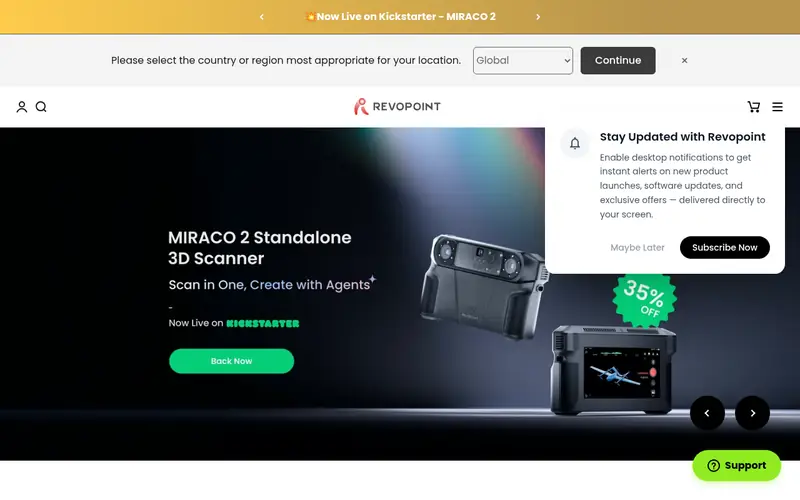
The MetroX is Revopoint's hybrid scanner, combining blue laser scanning with structured light in one body. That lets you switch modes depending on the object: laser for darker or more reflective surfaces, structured light for fine surface detail. The vendor lists multiple scan modes and working distances in its datasheet, and the unit pairs with Revo Scan software for capture and mesh cleanup.
It suits users who scan a mix of object types and want one device rather than two. The main catch is price and setup time: laser scanning rewards a stable rig and controlled lighting, so budget for a turntable and a steady mount.
Where the price comes from
Check current retail price. Hardware prices move often, so check the Revopoint MetroX maker page or a retailer before you buy.
Benefits
- Blue laser plus structured light modes
- multiple working distances
- bundled Revo Scan software
Drawbacks
- Higher price than entry models
- laser mode needs careful lighting control
Use case to skip: this limit matters to you: higher price than entry models.
Our take. A sensible pick for accurate mixed-mode scanning of small to medium objects.
If it does not fit, compare EinScan-SP V2 or Creality CR-Scan Otter in this list.
- Best for
- Small parts scanned automatically on a turntable
- Standout
- Automated turntable workflow
- Starting price
- Check current retail price
- Free plan or trial
- One-time hardware purchase
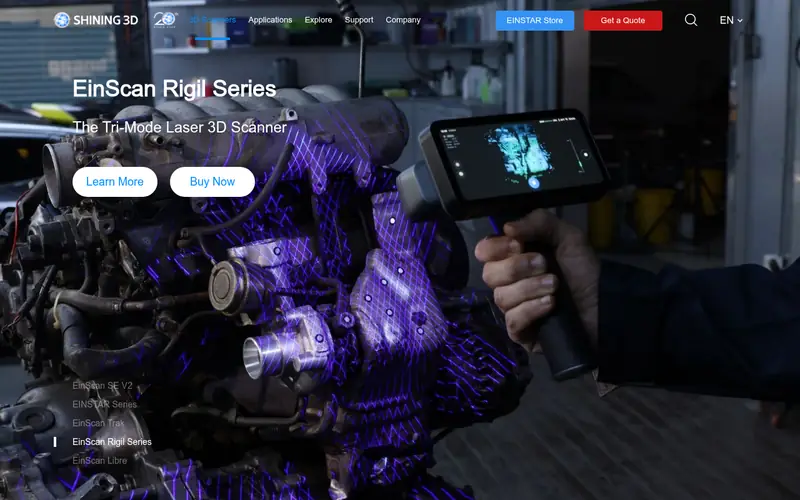
The EinScan-SP V2 is a structured-light desktop scanner built around an automatic turntable. You place a small object on the plate, and the scanner rotates it and captures multiple angles without manual repositioning. That makes it well suited to reverse engineering small parts, jewelry, and prototype inspection.
The trade-off is scale. The turntable and fixed head limit how large an object can be, so it is not the tool for furniture or full-body scans. Shining 3D publishes the scan volume and accuracy figures in the product datasheet, so check those against your parts before buying.
Where the price comes from
Check current retail price. Hardware prices move often, so check the EinScan-SP V2 maker page or a retailer before you buy.
Benefits
- Automated turntable workflow
- structured-light detail
- established EinScan software ecosystem
Drawbacks
- Fixed scan volume limits object size
- desktop footprint
Use case to skip: this limit matters to you: fixed scan volume limits object size.
Our take. A sensible pick for small parts scanned automatically on a turntable.
If it does not fit, compare Revopoint MetroX or Creality CR-Scan Otter in this list.
- Best for
- Scanning a wide range of object sizes
- Standout
- Handles small and large objects
- Starting price
- Check current retail price
- Free plan or trial
- One-time hardware purchase
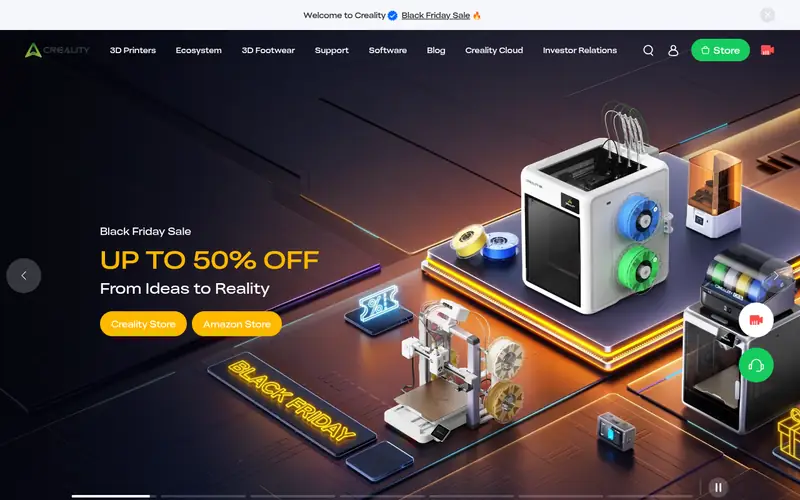
The CR-Scan Otter is a handheld scanner from Creality designed to cover both small and large objects. It uses multiple capture modes, and the vendor positions it as a general-purpose unit for makers, hobbyists, and small workshops. It works with Creality's scan software for capture and export.
Because it is handheld, results depend on steady movement and good lighting. It suits users who need flexibility across object sizes more than a fixed, automated workflow. Check the vendor datasheet for the exact accuracy and scan range figures.
Where the price comes from
Check current retail price. Hardware prices move often, so check the Creality CR-Scan Otter maker page or a retailer before you buy.
Benefits
- Handles small and large objects
- portable handheld design
- Creality scan software included
Drawbacks
- Handheld technique affects results
- accuracy varies by mode
Use case to skip: this limit matters to you: handheld technique affects results.
Our take. A sensible pick for scanning a wide range of object sizes.
If it does not fit, compare Revopoint MetroX or EinScan-SP V2 in this list.
- Best for
- Standalone scanning without a tethered PC
- Standout
- Built-in screen and processing
- Starting price
- Check current retail price
- Free plan or trial
- One-time hardware purchase
The MIRACO is an all-in-one scanner with its own screen and processing, so you can capture and preview scans without connecting to a PC. Revopoint lists it as capable of both small-object and larger-area scanning, with adjustable modes for different subjects.
It suits people who scan on site or away from a workstation. The catch is cost and the trade-off of onboard processing versus a full desktop pipeline for very fine detail. Confirm the current spec sheet for resolution and accuracy figures.
Where the price comes from
Check current retail price. Hardware prices move often, so check the Revopoint MIRACO maker page or a retailer before you buy.
Benefits
- Built-in screen and processing
- works without a computer
- handles small and large objects
Drawbacks
- Higher cost
- onboard processing limits very high-detail work
Use case to skip: this limit matters to you: higher cost.
Our take. A sensible pick for standalone scanning without a tethered PC.
If it does not fit, compare Revopoint MetroX or EinScan-SP V2 in this list.
- Best for
- Human and organic subjects
- Standout
- Designed for human and organic scanning
- Starting price
- Check current retail price
- Free plan or trial
- One-time hardware purchase
The EinScan H2 is a handheld scanner aimed at human and organic subjects, using a hybrid of infrared and structured light capture. Shining 3D positions it for applications like body scanning, art, and medical-adjacent workflows where soft surfaces and movement are a factor.
It is less suited to tight-tolerance mechanical inspection, where a turntable structured-light unit is usually a better fit. Check the vendor datasheet for scan accuracy and the supported capture modes before committing.
Where the price comes from
Check current retail price. Hardware prices move often, so check the Shining 3D EinScan H2 maker page or a retailer before you buy.
Benefits
- Designed for human and organic scanning
- hybrid infrared and structured light
- established software
Drawbacks
- Not aimed at mechanical part inspection
- higher price tier
Use case to skip: this limit matters to you: not aimed at mechanical part inspection.
Our take. A sensible pick for human and organic subjects.
If it does not fit, compare Revopoint MetroX or EinScan-SP V2 in this list.
- Best for
- Fine detail on small objects
- Standout
- Multiple laser modes for detail
- Starting price
- Check current retail price
- Free plan or trial
- One-time hardware purchase
The CR-Scan Raptor is a handheld scanner from Creality focused on fine detail, using multiple laser modes. It is aimed at users who need accurate capture of small parts, prototypes, and intricate shapes rather than room-scale work.
As with any handheld laser scanner, steady movement and controlled lighting matter. It suits makers and small shops that need detail more than volume. Verify the accuracy and minimum object size in the vendor datasheet.
Where the price comes from
Check current retail price. Hardware prices move often, so check the Creality CR-Scan Raptor maker page or a retailer before you buy.
Benefits
- Multiple laser modes for detail
- compact handheld body
- Creality software support
Drawbacks
- Small-object focus limits large scans
- technique-sensitive
Use case to skip: this limit matters to you: small-object focus limits large scans.
Our take. A sensible pick for fine detail on small objects.
If it does not fit, compare Revopoint MetroX or EinScan-SP V2 in this list.
- Best for
- Budget entry-level scanning
- Standout
- Lower entry price
- Starting price
- Check current retail price
- Free plan or trial
- One-time hardware purchase
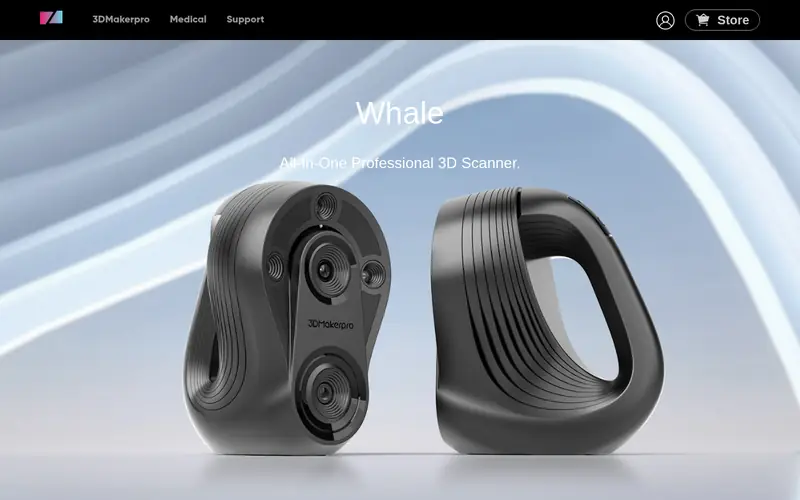
The 3DMakerpro Seal is an entry-level structured-light scanner aimed at hobbyists and first-time buyers. It is compact and pairs with the vendor's scanning software for capture and export.
It suits learning and light use rather than production inspection. Expect a smaller scan volume and lower accuracy tier than the pro-oriented models above. Check the vendor site for the current accuracy and scan range figures.
Where the price comes from
Check current retail price. Hardware prices move often, so check the 3DMakerpro Seal maker page or a retailer before you buy.
Benefits
- Lower entry price
- compact design
- bundled scanning software
Drawbacks
- Lower accuracy tier than pro models
- limited scan volume
Use case to skip: this limit matters to you: lower accuracy tier than pro models.
Our take. A sensible pick for budget entry-level scanning.
If it does not fit, compare Revopoint MetroX or EinScan-SP V2 in this list.
What specs matter when you buy
Accuracy is the first number buyers look at, but read the definition carefully. Vendors quote single-point accuracy, volumetric accuracy, or resolution, and these are not interchangeable. A scanner with a strong single-point figure can still produce a noisy mesh if its tracking is weak. Match the quoted figure to your task: mechanical parts need tight tolerance, while art and organic subjects tolerate more.
Scan volume and minimum object size decide what you can actually capture. A turntable unit with a fixed head has a hard size ceiling. A handheld unit is more flexible but depends on your technique. Check both the maximum scan area and the smallest object the vendor says the unit can resolve.
Software is the other half of the purchase. Most scanners ship with vendor capture software, and some include free viewers or a free tier for basic editing. Confirm which file formats the software exports (STL and OBJ are common) and whether it runs on your operating system. Also check the connection type, whether the unit needs a PC, and what is in the box, since mounts and turntables are often sold separately.
Questions worth answering first
Buying checklist
- Confirm the quoted accuracy figure and what it measures (single-point, volumetric, or resolution).
- Check the maximum scan volume and minimum object size against the parts you plan to scan.
- Verify which capture software ships with the unit and which file formats it exports.
- Confirm whether the scanner needs a tethered PC or runs standalone.
- Check what is included in the box, since turntables and mounts are often separate.
- Read the vendor's warranty and support terms before paying.
FAQ
Do I need a turntable for a desktop 3D scanner?
Not always. Turntable-based units automate small-part scanning, but handheld scanners work without one. A turntable improves consistency for small objects and is often sold separately, so check the box contents.
What is the difference between laser and structured-light scanning?
Laser scanners project lines or patterns of laser light and suit darker or more reflective surfaces. Structured-light scanners project patterned light and often capture fine surface detail. Some current models, like the Revopoint MetroX, combine both modes.
How accurate are desktop 3D scanners?
Accuracy varies widely by model and mode. Vendors quote figures in their datasheets, often as single-point or volumetric accuracy. Always read the definition, because the numbers are not directly comparable across brands.
Can these scanners capture large objects?
Some can. Handheld models like the Creality CR-Scan Otter are positioned for a wide size range, while turntable units have a fixed scan volume. Check the vendor's stated maximum scan area before buying.
Do I need a powerful computer to run a 3D scanner?
It depends on the model. Some scanners need a tethered PC for capture and processing, while all-in-one units like the Revopoint MIRACO handle capture onboard. Check the vendor's system requirements for the software.
What file formats do these scanners export?
Most vendor software exports common mesh formats such as STL and OBJ, and some support additional formats. Confirm the exact export options in the software documentation for the model you choose.
Sources we checked
Change log: First published 22 Nov 2026.