7 Best CO2 Laser Cutters for Small Workshops in 2026
The Glowforge Pro is the strongest starting point for a small workshop that wants a sealed CO2 laser with minimal setup, because it ships assembled and uses a 45W tube in a class 1 enclosure. If you need a larger bed for sheet work, look at the OMTech 60W. If budget is the deciding factor, the K40-class machines from Orion Motor Tech cover light engraving at the lowest entry price.
 By Shihab Mia · Published 28 Nov 2026
We run no ads and no affiliate links at launch. The order of a list follows our published method. How lists are ordered: how we score.
Prices are the starting prices vendors list publicly. Plans change, so confirm the current price on the vendor page before you buy.
Key takeaways
- CO2 tubes are rated in watts, and cutting headroom depends on tube power, material thickness and mirror alignment, not on marketing names.
- The Glowforge Pro lists at about $6,995 on the vendor site, while K40-class units sell for a few hundred dollars.
- Bed size drives what you can make: most hobby CO2 units take 300 x 200 mm stock, while 60W and up machines take full 600 x 400 mm sheets.
- All CO2 lasers need exhaust ventilation and, for class 4 open-frame units, laser safety glasses matched to 10.6 micron wavelength.
- None of these are software subscriptions; the laser control software (LightBurn, RDWorks, Glowforge app) is separate from the hardware price.
Side-by-side
Grouped by fit and cost. Tap a product to jump to its full entry.
| Fit | Cost | |||
|---|---|---|---|---|
| Product | Best for | Standout feature | Listed starting price | Free plan or trial |
| 1Glowforge Pro | Workshops that want a sealed, assembled CO2 laser | Ships fully assembled with a class 1 enclosure | Check current retail price | One-time hardware purchase |
| 2OMTech 60W CO2 Laser Engraver | Cutting full sheets of plywood and acrylic | 60W tube with a 600 x 400 mm bed | Check current retail price | One-time hardware purchase |
| 3xTool P2 | Enclosed cutting with camera alignment | 55W CO2 tube in a fully enclosed cabinet | Check current retail price | One-time hardware purchase |
| 4OMTech K40 | First CO2 laser on a tight budget | Lowest entry price of the group | Check current retail price | One-time hardware purchase |
| 5Thunder Laser Nova 35 | Small production runs with a Ruida controller | 60W or 80W tube options in a 900 x 600 mm frame | Check current retail price | One-time hardware purchase |
| 6Epilog Fusion Edge 12 | Shops that need US-based service and support | CO2 laser with a 12 x 24 inch bed | Check current retail price | One-time hardware purchase |
| 7Boss Laser LS-1416 | Mixed cutting and engraving in a compact frame | CO2 tube in a 1400 x 1600 mm-class frame with Ruida control | Check current retail price | One-time hardware purchase |
How we picked
We compared these machines from vendor product pages, published spec sheets, controller documentation and listed prices, not from hands-on testing. We checked tube type and wattage, bed dimensions, controller and software compatibility, enclosure class, and what each vendor includes in the base configuration. We also noted the support model, since a US service network changes the real cost of ownership. Prices are the vendor's published list price where available, and "Check current retail price" where the vendor does not publish a fixed figure.
The 7 picks in detail
- Best for
- Workshops that want a sealed, assembled CO2 laser
- Standout
- Ships fully assembled with a class 1 enclosure
- Starting price
- Check current retail price
- Free plan or trial
- One-time hardware purchase
The Glowforge Pro is a desktop CO2 laser with a 45W tube, a class 1 enclosure and a pass-through slot on the front and back for longer material. The working area is roughly 20 x 11 inches, and the built-in camera lets you place designs on the material in the Glowforge app. It is aimed at designers and small shops that want to unbox and start cutting rather than align mirrors and wire a chiller.
The main catch is cost and lock-in. The Pro lists at $6,995 on the vendor site, well above open-frame machines with more tube power. The control software is cloud-based, so jobs depend on an internet connection. For a workshop that values setup time over raw cutting speed, it is the simplest route into CO2 laser work.
Where the price comes from
Check current retail price. Hardware prices move often, so check the Glowforge Pro maker page or a retailer before you buy.
Benefits
- Ships fully assembled with a class 1 enclosure
- 45W CO2 tube with pass-through slot for long stock
- camera-based placement in the Glowforge app
Drawbacks
- Higher price than open-frame machines of similar power
- proprietary cloud software
Use case to skip: this limit matters to you: higher price than open-frame machines of similar power.
Our take. A sensible pick for workshops that want a sealed, assembled CO2 laser.
If it does not fit, compare OMTech 60W CO2 Laser Engraver or xTool P2 in this list.
- Best for
- Cutting full sheets of plywood and acrylic
- Standout
- 60W tube with a 600 x 400 mm bed
- Starting price
- Check current retail price
- Free plan or trial
- One-time hardware purchase
This OMTech model is a 60W CO2 laser with a 600 x 400 mm working area, which is enough for half sheets of 3 mm plywood and standard acrylic sheet. It uses a Ruida controller, so it works with LightBurn and RDWorks, and most bundles include a water chiller, air pump and exhaust fan.
It suits a small shop that needs to cut sheet goods rather than engrave small blanks. The trade-off is that it is an open-frame class 4 laser: you need laser safety glasses rated for 10.6 microns, a proper exhaust route to outside, and the patience to align mirrors. It is not a plug-and-play appliance.
Where the price comes from
Check current retail price. Hardware prices move often, so check the OMTech 60W CO2 Laser Engraver maker page or a retailer before you buy.
Benefits
- 60W tube with a 600 x 400 mm bed
- Ruida controller works with LightBurn and RDWorks
- water chiller and exhaust fan included in most bundles
Drawbacks
- Open-frame class 4 design needs safety glasses and a dedicated exhaust run
- mirror alignment is part of ownership
Use case to skip: this limit matters to you: open-frame class 4 design needs safety glasses and a dedicated exhaust run.
Our take. A sensible pick for cutting full sheets of plywood and acrylic.
If it does not fit, compare Glowforge Pro or xTool P2 in this list.

- Best for
- Enclosed cutting with camera alignment
- Standout
- 55W CO2 tube in a fully enclosed cabinet
- Starting price
- Check current retail price
- Free plan or trial
- One-time hardware purchase
The xTool P2 is a 55W CO2 laser in a closed cabinet with a camera system for placing designs and previewing cuts. It handles wood, acrylic, leather and coated metal marking, and the enclosure means you do not need separate laser safety glasses during normal operation. It works with xTool Creative Space and with LightBurn.
It fits a studio or small workshop where the laser sits in a shared room and noise and stray light matter. The catch is the working area, which is smaller than a full 600 x 400 mm bed, and the accessory ecosystem, where rotary tools and risers add to the total. Check the current retail price and bundle contents before comparing it with open-frame 60W units.
Where the price comes from
Check current retail price. Hardware prices move often, so check the xTool P2 maker page or a retailer before you buy.
Benefits
- 55W CO2 tube in a fully enclosed cabinet
- dual cameras for placement and preview
- works with xTool Creative Space and LightBurn
Drawbacks
- Bed size is smaller than a 600 x 400 mm open-frame machine
- accessories add cost
Use case to skip: this limit matters to you: bed size is smaller than a 600 x 400 mm open-frame machine.
Our take. A sensible pick for enclosed cutting with camera alignment.
If it does not fit, compare Glowforge Pro or OMTech 60W CO2 Laser Engraver in this list.
- Best for
- First CO2 laser on a tight budget
- Standout
- Lowest entry price of the group
- Starting price
- Check current retail price
- Free plan or trial
- One-time hardware purchase
The K40 is the common name for a family of small 40W CO2 lasers with a bed around 300 x 200 mm. OMTech sells a version of this machine. It engraves wood, acrylic and leather and can cut thin stock, and it is the cheapest way to learn how a CO2 laser behaves.
The catch is that the K40 is a project as much as a tool. The stock controller and software are basic, the bed is small, and many owners upgrade the exhaust, the bed and the air assist. It suits a hobbyist or a very small shop testing demand before buying a larger machine. It does not suit anyone who needs production throughput.
Where the price comes from
Check current retail price. Hardware prices move often, so check the OMTech K40 maker page or a retailer before you buy.
Benefits
- Lowest entry price of the group
- compact footprint for a bench
- simple to modify and upgrade
Drawbacks
- Small bed around 300 x 200 mm
- stock controller and software are basic
Use case to skip: this limit matters to you: small bed around 300 x 200 mm.
Our take. A sensible pick for first CO2 laser on a tight budget.
If it does not fit, compare Glowforge Pro or OMTech 60W CO2 Laser Engraver in this list.
- Best for
- Small production runs with a Ruida controller
- Standout
- 60W or 80W tube options in a 900 x 600 mm frame
- Starting price
- Check current retail price
- Free plan or trial
- One-time hardware purchase
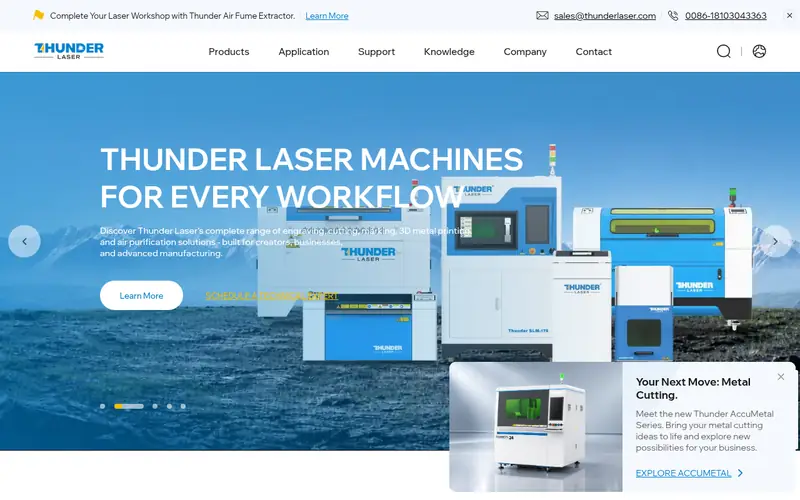
The Thunder Laser Nova 35 is a 60W or 80W CO2 laser with a 900 x 600 mm bed, aimed at small production shops rather than hobbyists. It uses a Ruida controller, so LightBurn and RDWorks both work, and the frame is built for repeated daily jobs rather than occasional use.
It suits a workshop that has outgrown a 600 x 400 mm machine and needs to nest several parts per sheet. The catch is the total cost: the laser, a water chiller, an exhaust run and a sturdy bench add up quickly. Confirm the tube option and included accessories with the vendor, because bundles vary by region.
Where the price comes from
Check current retail price. Hardware prices move often, so check the Thunder Laser Nova 35 maker page or a retailer before you buy.
Benefits
- 60W or 80W tube options in a 900 x 600 mm frame
- Ruida controller with LightBurn support
- built for repeated daily jobs
Drawbacks
- Higher price than hobby machines
- needs a chiller and a dedicated exhaust
Use case to skip: this limit matters to you: higher price than hobby machines.
Our take. A sensible pick for small production runs with a Ruida controller.
If it does not fit, compare Glowforge Pro or OMTech 60W CO2 Laser Engraver in this list.
- Best for
- Shops that need US-based service and support
- Standout
- CO2 laser with a 12 x 24 inch bed
- Starting price
- Check current retail price
- Free plan or trial
- One-time hardware purchase
The Epilog Fusion Edge 12 is a CO2 laser with a 12 x 24 inch working area, sold through Epilog's US dealer and support network. It is aimed at sign shops, trophy shops and small manufacturers that need a machine backed by local service rather than a direct-from-factory import.
The catch is price. You pay a premium for the support network and build quality, and the bed is smaller than a 600 x 400 mm open-frame machine at a similar or lower cost. It suits a business where downtime costs more than the machine. Ask the vendor for the current configuration and price, since Epilog sells through regional distributors.
Where the price comes from
Check current retail price. Hardware prices move often, so check the Epilog Fusion Edge 12 maker page or a retailer before you buy.
Benefits
- CO2 laser with a 12 x 24 inch bed
- US-based support and service network
- works with Epilog's own job software
Drawbacks
- Premium price for the bed size
- fewer watts than cheaper open-frame units
Use case to skip: this limit matters to you: premium price for the bed size.
Our take. A sensible pick for shops that need US-based service and support.
If it does not fit, compare Glowforge Pro or OMTech 60W CO2 Laser Engraver in this list.
- Best for
- Mixed cutting and engraving in a compact frame
- Standout
- CO2 tube in a 1400 x 1600 mm-class frame with Ruida control
- Starting price
- Check current retail price
- Free plan or trial
- One-time hardware purchase
The Boss Laser LS-1416 is a CO2 laser aimed at small shops that need a larger bed than a desktop unit but do not want a full industrial frame. It uses a Ruida controller, so LightBurn works, and Boss sells and supports it from the US.
It suits a workshop that cuts and engraves a mix of wood, acrylic and leather and wants room to nest parts. The catch is the footprint and the supporting equipment: a chiller, an exhaust run and a bench sized for the frame. Confirm the current tube wattage and included accessories with Boss before ordering, because configurations change.
Where the price comes from
Check current retail price. Hardware prices move often, so check the Boss Laser LS-1416 maker page or a retailer before you buy.
Benefits
- CO2 tube in a 1400 x 1600 mm-class frame with Ruida control
- US-based sales and support
- works with LightBurn
Drawbacks
- Larger footprint than a desktop unit
- needs a chiller and exhaust planning
Use case to skip: this limit matters to you: larger footprint than a desktop unit.
Our take. A sensible pick for mixed cutting and engraving in a compact frame.
If it does not fit, compare Glowforge Pro or OMTech 60W CO2 Laser Engraver in this list.
What specs matter most when buying a CO2 laser cutter?
Tube wattage, bed size and the controller matter most, in that order. Wattage sets how thick a material you can cut at a usable speed: a 40W tube handles thin acrylic and plywood, while 60W and up cut thicker stock and full sheets. Bed size sets what stock you can load without tiling a job. The controller decides which software you can run, and Ruida-based machines work with LightBurn, which most small shops prefer.
Beyond those three, look at cooling and exhaust. Tubes above roughly 40W usually need a water chiller rather than a passive radiator, and every CO2 laser needs an exhaust route to outside because cutting acrylic and leather produces fumes. An enclosure changes the safety picture: a class 1 cabinet is safer in a shared room than an open-frame class 4 machine, which needs laser safety glasses rated for 10.6 microns.
Finally, check the software and support model. Some machines depend on cloud software, others run locally with LightBurn or RDWorks. Support matters more than spec sheets suggest: a machine with a US service network costs more but shortens downtime. Ask the vendor for the current datasheet, tube option and included accessories before you compare prices.
Which CO2 laser should I buy if I mostly cut plywood and acrylic?
Buy the OMTech 60W if you cut sheets and want the most bed for the money, or the Thunder Laser Nova 35 if you need a larger 900 x 600 mm bed and daily throughput. Both use Ruida controllers, so LightBurn works, and both cut 3 mm plywood and cast acrylic comfortably.
If the laser sits in a shared room and you want an enclosure, the xTool P2 is the better fit, though its bed is smaller. If you are just testing demand, the OMTech K40 is enough for thin stock and small blanks. Skip the Glowforge Pro for pure sheet cutting unless setup time matters more than bed size and price.
Questions worth answering first
Buying checklist
- Confirm the tube wattage and whether the vendor lists it as a sealed CO2 tube, not a diode.
- Measure your bench and doorways against the machine footprint before ordering.
- Check whether a water chiller, air assist and exhaust fan are included or sold separately.
- Confirm the controller model and that your preferred software (LightBurn, RDWorks or the vendor app) supports it.
- Plan an exhaust route to outside and, for open-frame machines, buy laser safety glasses rated for 10.6 microns.
- Ask the vendor for the current datasheet, warranty terms and service options in your country.
FAQ
Do I need a water chiller for a 60W CO2 laser?
Yes, most 60W and higher CO2 tubes need active water cooling to hold temperature during long jobs. Smaller 40W tubes often use a passive radiator or a small aquarium chiller. Check the vendor datasheet for the recommended chiller and flow rate before you buy.
Can a CO2 laser cut metal?
A standard CO2 laser cuts wood, acrylic, leather, paper and some coated metals, but not bare steel or aluminium at hobby power levels. Marking coated metal is possible on some machines. For cutting metal you need a fiber laser, which is a different machine class.
Is an open-frame CO2 laser safe in a small workshop?
It can be, with the right controls. Open-frame machines are class 4 lasers, so you need laser safety glasses rated for 10.6 microns, a locked room or barrier, and an exhaust route to outside. A class 1 enclosed cabinet is safer in a shared space.
What software do these CO2 lasers use?
Most Ruida-controlled machines (OMTech, Thunder Laser, Boss Laser) work with LightBurn and RDWorks. Glowforge uses its own cloud app, xTool uses xTool Creative Space and LightBurn, and Epilog uses its own job software. Confirm compatibility before buying.
How thick can a 60W CO2 laser cut?
A 60W CO2 laser cuts several millimetres of plywood and cast acrylic at usable speeds, with the exact limit depending on material, focus and air assist. Vendors publish cut charts; ask for the current chart rather than relying on a single number.
Do these machines come assembled?
It varies. The Glowforge Pro ships assembled. Open-frame machines like the OMTech 60W and the K40 arrive partly disassembled and need mirror alignment, exhaust hookup and chiller setup. Ask the vendor what assembly is required before delivery.
Sources we checked
Change log: First published 28 Nov 2026.