5 Best USB and HDMI Digital Microscopes in 2026
The AD409 Pro from Andonstar is the strongest all-round pick for most electronics work because it combines a 4K HDMI output, a metal stand and a large screen for hands-free viewing. Buyers who want a simple USB camera for PCB photos should look at the Dino-Lite Edge series. Anyone on a tight budget should consider the Plugable USB digital microscope, which is the cheapest credible option here.
 By Shihab Mia · Published 28 Nov 2026
We run no ads and no affiliate links at launch. The order of a list follows our published method. How lists are ordered: how we score.
Prices are the starting prices vendors list publicly. Plans change, so confirm the current price on the vendor page before you buy.
Key takeaways
- HDMI microscopes with a built-in screen cost more than plain USB cameras but free up your PC while soldering.
- Stand quality matters as much as optics: a flimsy arm will drift and ruin focus during rework.
- Working distance and field of view decide whether you can fit a soldering iron under the lens.
- Most USB models work with free software such as Windows Camera or OBS, so no paid app is required.
- Prices range from roughly 40 USD for a basic USB camera to over 1,000 USD for a long-working-distance inspection system.
Side-by-side
Grouped by fit and cost. Tap a product to jump to its full entry.
| Fit | Cost | |||
|---|---|---|---|---|
| Product | Best for | Standout feature | Listed starting price | Free plan or trial |
| 1Andonstar AD409 Pro | HDMI soldering and rework viewing | 4K HDMI output to a monitor | See vendor site (HDMI model with stand) | One-time hardware purchase |
| 2Dino-Lite Edge AM4815ZT | PCB documentation and measurement | Long track record in inspection | See vendor site (Edge series) | One-time hardware purchase |
| 3Plugable USB Digital Microscope | Budget PCB inspection | Low cost | Check current retail price (USB camera) | One-time hardware purchase |
| 4Celestron MicroDirect 1080p HDMI | HDMI viewing on a budget | Direct HDMI output | Check current retail price (HDMI model) | One-time hardware purchase |
| 5Supereyes B011 | Portable field inspection | Compact and portable | Check current retail price (USB model) | One-time hardware purchase |
How we picked
We compared these models using vendor product pages, published datasheets and official documentation. We checked sensor resolution, output type (USB or HDMI), stand design, working distance where listed, software support and the manufacturer's published price or quotation process. We did not run hands-on lab tests. Where a figure was not confirmed on the current datasheet, we described it qualitatively rather than guessing. The list covers HDMI units and USB cameras so buyers can match the tool to their bench.
The 5 picks in detail
- Best for
- HDMI soldering and rework viewing
- Standout
- 4K HDMI output to a monitor
- Starting price
- See vendor site (HDMI model with stand)
- Free plan or trial
- One-time hardware purchase
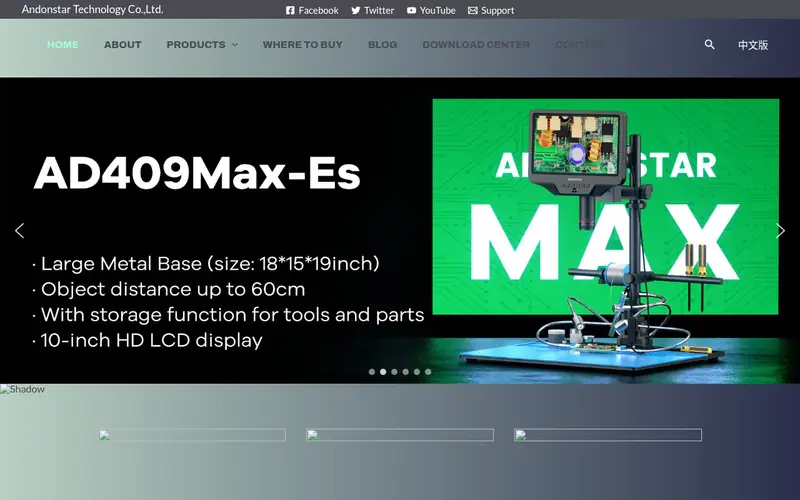
The AD409 Pro is an HDMI microscope aimed at electronics repair. Andonstar lists a 4K sensor, HDMI and USB outputs, and a metal stand with fine focus. The bundled screen means you can watch the board without a PC, which helps when you need both hands on an iron.
It suits hobbyists and small repair shops doing SMD rework and trace inspection. The main catch is bench space: the stand and screen take up a footprint that a plain USB camera does not. Check the vendor page for the current bundle and price, since configurations differ.
Where the price comes from
See vendor site (HDMI model with stand). Hardware prices move often, so check the Andonstar AD409 Pro maker page or a retailer before you buy.
Benefits
- 4K HDMI output to a monitor
- metal articulating stand
- built-in screen option
Drawbacks
- Bulky on a small bench
- software features vary by firmware
Use case to skip: this limit matters to you: bulky on a small bench.
Our take. A sensible pick for HDMI soldering and rework viewing.
If it does not fit, compare Dino-Lite Edge AM4815ZT or Plugable USB Digital Microscope in this list.
- Best for
- PCB documentation and measurement
- Standout
- Long track record in inspection
- Starting price
- See vendor site (Edge series)
- Free plan or trial
- One-time hardware purchase
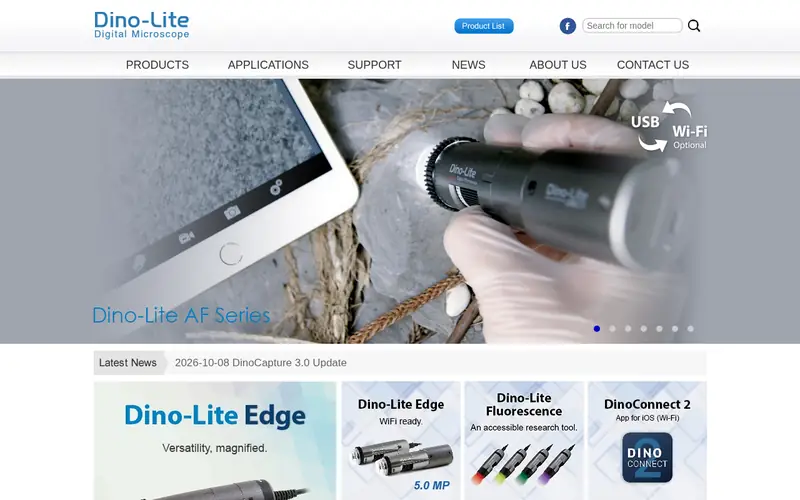
Dino-Lite is a long-standing brand in digital microscopy, and the Edge series is its main line for electronics and industrial inspection. The AM4815ZT is a USB model with adjustable magnification and software that supports measurement and image capture. Vendor documentation lists interchangeable caps and stands.
It suits engineers who need repeatable photos and measurements for reports. The catch is cost and the USB-only connection: you need a PC at the bench. Confirm the exact magnification range and sensor spec on the Dino-Lite site before ordering, as the Edge range has several variants.
Where the price comes from
See vendor site (Edge series). Hardware prices move often, so check the Dino-Lite Edge AM4815ZT maker page or a retailer before you buy.
Benefits
- Long track record in inspection
- measurement software included
- wide accessory range
Drawbacks
- Higher cost than hobby cameras
- USB only, no HDMI
Use case to skip: this limit matters to you: higher cost than hobby cameras.
Our take. A sensible pick for PCB documentation and measurement.
If it does not fit, compare Andonstar AD409 Pro or Plugable USB Digital Microscope in this list.
- Best for
- Budget PCB inspection
- Standout
- Low cost
- Starting price
- Check current retail price (USB camera)
- Free plan or trial
- One-time hardware purchase
Plugable sells a USB digital microscope aimed at hobbyists and students. It connects over USB and works with common camera software, so you can view the image in Windows Camera, OBS or similar apps without a paid license. The stand is a simple adjustable type.
It suits beginners checking solder joints and component markings. The catch is that the stand and optics are basic, so fine focus at high magnification takes patience. It is not a substitute for a stereo microscope during dense rework. Check the current retail price, as it moves with stock.
Where the price comes from
Check current retail price (USB camera). Hardware prices move often, so check the Plugable USB Digital Microscope maker page or a retailer before you buy.
Benefits
- Low cost
- works with standard USB camera apps
- simple setup
Drawbacks
- Basic stand
- limited magnification versus lab models
Use case to skip: this limit matters to you: basic stand.
Our take. A sensible pick for budget PCB inspection.
If it does not fit, compare Andonstar AD409 Pro or Dino-Lite Edge AM4815ZT in this list.
- Best for
- HDMI viewing on a budget
- Standout
- Direct HDMI output
- Starting price
- Check current retail price (HDMI model)
- Free plan or trial
- One-time hardware purchase
Celestron's MicroDirect 1080p HDMI microscope outputs to a TV or monitor over HDMI. It is marketed for education and hobby use, with a built-in light and a basic stand. The 1080p sensor is enough for reading part numbers and checking joints at moderate magnification.
It suits classrooms, makers and anyone who wants an HDMI feed without a PC. The catch is the stand: working distance and stability are below what soldering rework needs. Treat it as an inspection tool, not a soldering station viewer. Check the current retail price and confirm the included accessories.
Where the price comes from
Check current retail price (HDMI model). Hardware prices move often, so check the Celestron MicroDirect 1080p HDMI maker page or a retailer before you buy.
Benefits
- Direct HDMI output
- 1080p sensor
- simple controls
Drawbacks
- Aimed at education, not rework
- stand limits working distance
Use case to skip: this limit matters to you: aimed at education, not rework.
Our take. A sensible pick for HDMI viewing on a budget.
If it does not fit, compare Andonstar AD409 Pro or Dino-Lite Edge AM4815ZT in this list.
- Best for
- Portable field inspection
- Standout
- Compact and portable
- Starting price
- Check current retail price (USB model)
- Free plan or trial
- One-time hardware purchase
Supereyes makes compact USB microscopes for hobby and field use. The B011 is a pen-style camera that connects over USB and works with the vendor's software or generic camera apps. It is small enough to carry in a tool bag.
It suits quick checks in the field or at a customer site where a bench microscope is not available. The catch is stability: a pen-style camera is hard to hold steady at high magnification, and the stand options are light. Use it for inspection, not for prolonged soldering work. Check the current retail price and software support.
Where the price comes from
Check current retail price (USB model). Hardware prices move often, so check the Supereyes B011 maker page or a retailer before you buy.
Benefits
- Compact and portable
- USB connection
- low cost
Drawbacks
- Small stand
- image quality below lab models
Use case to skip: this limit matters to you: small stand.
Our take. A sensible pick for portable field inspection.
If it does not fit, compare Andonstar AD409 Pro or Dino-Lite Edge AM4815ZT in this list.
What specs matter most when buying a USB or HDMI microscope for electronics?
The three that matter most are working distance, field of view and stand stability. Resolution gets the attention, but a 1080p image on a rigid stand beats a 4K image on a wobbly arm for soldering work.
Working distance is the gap between the lens and the board. You need enough room for an iron, tweezers and your hand. Vendor datasheets list this figure, so compare it directly. Field of view tells you how much of the board is visible at a given magnification; a wide view helps when tracing a circuit, a narrow one helps when reading a tiny part number.
Stand stability decides whether focus holds while you work. Look for a metal stand with a fine-focus control and a locking arm. Also check the output: HDMI models feed a monitor directly, USB models need a PC and software. For measurement work, confirm the software supports calibration. Finally, check lighting: a ring light with adjustable brightness is more useful than a fixed one.
Which microscope should I buy if I mostly do SMD soldering?
For SMD soldering, pick a model with a long working distance and a sturdy stand. If you want a digital setup with a screen and do not need stereo depth, the Andonstar AD409 Pro is the practical HDMI choice.
For occasional rework and inspection on a budget, the Plugable USB microscope covers basic joint checks. Skip the education-focused HDMI models for soldering: their stands and working distance are aimed at viewing, not iron work. If you need photos and measurements for reports, pick the Dino-Lite Edge.
Questions worth answering first
Buying checklist
- Measure your bench space and confirm the stand footprint fits before ordering.
- Check the working distance on the datasheet against the tools you need under the lens.
- Confirm whether the model outputs HDMI, USB or both, and that you have the matching display or PC.
- Verify the software supports your operating system and any measurement calibration you need.
- Check what is in the box: stand, light, camera adapter and cables are often sold separately.
- Confirm the warranty terms and return window with the vendor before paying.
FAQ
Do I need a PC to use an HDMI microscope?
No. An HDMI microscope sends the image straight to a monitor or TV, so you can work without a computer. USB models do need a PC or laptop running camera software. Some models offer both outputs, which gives you the option to view on a screen and capture images to a computer.
What magnification do I need for PCB inspection?
Moderate magnification is enough for most PCB work: reading part numbers and checking solder joints does not require extreme zoom. What matters more is working distance and a stable stand. Check the vendor datasheet for the magnification range and confirm it covers the field of view you need.
Is a USB microscope good enough for soldering?
It can be, for occasional rework and inspection. A USB microscope gives a flat image, so you lose depth perception, which makes fine soldering harder than with a stereo optical microscope. For daily SMD work, a stereo zoom model with a camera port is the better tool.
Can I use free software with a USB microscope?
Often yes. Many USB microscopes work with standard camera apps such as Windows Camera or OBS, so no paid license is needed. Measurement features may require the vendor's own software. Check the product page for the supported software list before buying.
What is the difference between a digital and a stereo microscope?
A digital microscope shows a camera image on a screen or PC. A stereo microscope gives two optical views, so you see depth. Digital models are easier to record and share; stereo models are better for hand work under the lens. Some stereo models add a camera port for both.
Are these microscopes suitable for phone repair?
Yes, most are used for phone and small electronics repair. Check the working distance so an iron and tweezers fit under the lens, and pick a stand that holds focus. For dense boards, a stereo model gives better depth perception than a flat screen.
Sources we checked
Change log: First published 28 Nov 2026.