5 Best Portable Soldering Irons in 2026
The Pinecil V2 is the best starting point for most people: it is inexpensive, runs from USB-C PD or a DC barrel supply, and has an open firmware you can update. If you want a self-contained tool with a built-in battery and screen, look at the TS101.
 By Shihab Mia · Published 28 Nov 2026
We run no ads and no affiliate links at launch. The order of a list follows our published method. How lists are ordered: how we score.
Prices are the starting prices vendors list publicly. Plans change, so confirm the current price on the vendor page before you buy.
Key takeaways
- USB-C PD irons need a charger that supports the right voltage and current; a basic phone charger will heat slowly or not at all.
- The Pinecil V2 is the cheapest way into a modern portable iron, and its firmware is open source.
- Battery irons trade runtime for freedom from a cable; check the cell capacity and charging time before buying.
- Tip shape matters more than wattage for most joints; buy one fine conical and one chisel tip.
Side-by-side
Grouped by fit and cost. Tap a product to jump to its full entry.
| Fit | Cost | |||
|---|---|---|---|---|
| Product | Best for | Standout feature | Listed starting price | Free plan or trial |
| 1Pinecil V2 | Cheapest capable USB-C iron | Low price | Check current retail price | One-time hardware purchase |
| 2Miniware TS101 | Cordless and USB-C field work | Built-in battery option | See vendor site (varies by kit) | One-time hardware purchase |
| 3Sequre S99 | Compact USB-C travel iron | Small body | Check current retail price | One-time hardware purchase |
| 4FNIRSI HS-01 | Smart tip with on-tool display | On-tool display | Check current retail price | One-time hardware purchase |
| 5Portasol Pro Piezo | Soldering with no power at all | No mains or battery needed | Check current retail price | One-time hardware purchase |
How we picked
We compared these irons using vendor product pages, published spec sheets and official documentation, plus the manufacturers' own listed prices where available. We looked at power input, tip format, display and controls, portability and the size of the tip ecosystem. We did not run lab tests. Where a figure was not confirmed by the vendor, we described it qualitatively instead of guessing. Prices change, so treat every figure as a starting point and check the vendor site before buying.
The 5 picks in detail
- Best for
- Cheapest capable USB-C iron
- Standout
- Low price
- Starting price
- Check current retail price
- Free plan or trial
- One-time hardware purchase
The Pinecil V2 is made by Pine64 and uses the same short tip format as the TS100 family. It accepts USB-C Power Delivery and a DC barrel input, so you can run it from a laptop brick, a power bank that supports PD, or a 24 V supply. The vendor lists an OLED screen for temperature and settings, and the firmware is open source, so the community maintains it.
It suits hobbyists, students and anyone who wants one iron for occasional repairs. The catch is that the iron alone does not include a power supply or tips in the base price, and a weak USB-C charger will limit how fast it heats. Budget for a PD charger rated for the voltage the iron needs.
Where the price comes from
Check current retail price. Hardware prices move often, so check the Pinecil V2 maker page or a retailer before you buy.
Benefits
- Low price
- open-source firmware
- runs from USB-C PD or DC barrel jack
Drawbacks
- No charger or tips in the base price
- plastic handle feels light
Use case to skip: this limit matters to you: no charger or tips in the base price.
Our take. A sensible pick for cheapest capable USB-C iron.
If it does not fit, compare Miniware TS101 or Sequre S99 in this list.
- Best for
- Cordless and USB-C field work
- Standout
- Built-in battery option
- Starting price
- See vendor site (varies by kit)
- Free plan or trial
- One-time hardware purchase
The TS101 is Miniware's update to the TS100 line. It has a small OLED display, USB-C input, and an optional battery handle that makes it fully cordless. The tip format is the same short cartridge style used across this family, so tips are easy to find.
It suits people who solder away from mains power, such as in a car, on a drone bench or at a field site. The main catch is price: the battery handle and a good PD charger add to the cost, and runtime falls quickly at high temperatures. Check the vendor site for the current kit contents.
Where the price comes from
See vendor site (varies by kit). Hardware prices move often, so check the Miniware TS101 maker page or a retailer before you buy.
Benefits
- Built-in battery option
- USB-C charging
- compact body
Drawbacks
- Battery version costs more
- runtime depends on tip and temperature
Use case to skip: this limit matters to you: battery version costs more.
Our take. A sensible pick for cordless and USB-C field work.
If it does not fit, compare Pinecil V2 or Sequre S99 in this list.
- Best for
- Compact USB-C travel iron
- Standout
- Small body
- Starting price
- Check current retail price
- Free plan or trial
- One-time hardware purchase
The Sequre S99 is a compact USB-C soldering iron in the same short-tip family as the Pinecil and TS101. It has a small screen and runs from a USB-C PD supply.
It suits travellers and hobbyists who want a spare iron that fits in a tool bag. The catch is the ecosystem: fewer tip shapes are stocked than for Hakko or Weller, and firmware documentation is thinner. Check the vendor site for the current tip list before buying.
Where the price comes from
Check current retail price. Hardware prices move often, so check the Sequre S99 maker page or a retailer before you buy.
Benefits
- Small body
- USB-C input
- low cost
Drawbacks
- Fewer tips stocked than big brands
- firmware less documented
Use case to skip: this limit matters to you: fewer tips stocked than big brands.
Our take. A sensible pick for compact USB-C travel iron.
If it does not fit, compare Pinecil V2 or Miniware TS101 in this list.
- Best for
- Smart tip with on-tool display
- Standout
- On-tool display
- Starting price
- Check current retail price
- Free plan or trial
- One-time hardware purchase
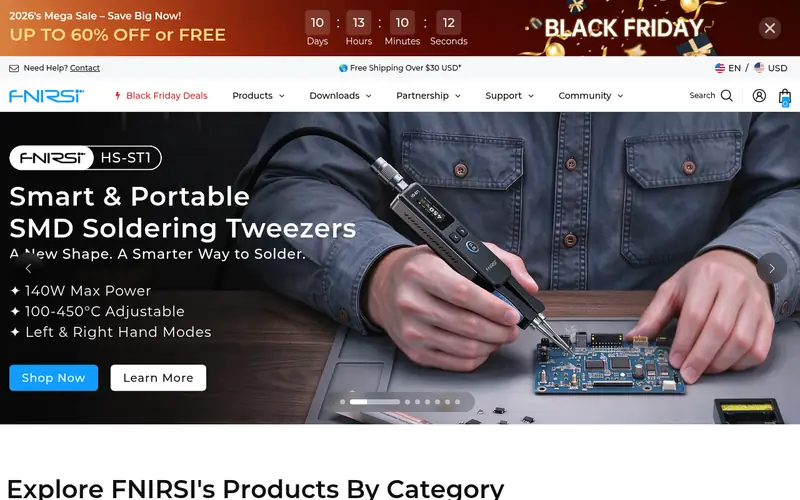
The HS-01 is a USB-C soldering iron from FNIRSI, a brand better known for test gear. It has a small display on the handle and uses a smart tip design.
It suits people who want a readout on the iron itself and a small travel tool. The catch is that FNIRSI is newer to soldering tools, so the tip range and long-term support are less proven than Hakko or Weller. Check the vendor site for current specs and tip options.
Where the price comes from
Check current retail price. Hardware prices move often, so check the FNIRSI HS-01 maker page or a retailer before you buy.
Benefits
- On-tool display
- USB-C input
- compact
Drawbacks
- Brand is newer to soldering
- tip range is limited
Use case to skip: this limit matters to you: brand is newer to soldering.
Our take. A sensible pick for smart tip with on-tool display.
If it does not fit, compare Pinecil V2 or Miniware TS101 in this list.
- Best for
- Soldering with no power at all
- Standout
- No mains or battery needed
- Starting price
- Check current retail price
- Free plan or trial
- One-time hardware purchase
The Portasol Pro Piezo is a gas soldering iron that runs on butane. It has a piezo igniter, so you do not need a separate lighter, and it works where there is no power at all.
It suits field repairs, automotive work and outdoor jobs. The catch is control: gas irons are harder to hold at a steady temperature than USB-C irons, and they are not the right tool for fine surface-mount work. Check the vendor site for the current model and tip options.
Where the price comes from
Check current retail price. Hardware prices move often, so check the Portasol Pro Piezo maker page or a retailer before you buy.
Benefits
- No mains or battery needed
- piezo ignition
- works outdoors
Drawbacks
- Needs butane
- heat output varies
- not for fine SMD work
Use case to skip: this limit matters to you: needs butane.
Our take. A sensible pick for soldering with no power at all.
If it does not fit, compare Pinecil V2 or Miniware TS101 in this list.
What specs matter most when buying a portable soldering iron?
The two that matter most are the power input and the tip format. A USB-C iron only heats well if your charger supports the voltage and current the iron asks for, so check the vendor's input spec before buying. The tip format decides what shapes you can buy later, and a common format means easy replacements.
After that, look at the display and controls. A small screen helps you set and hold a temperature, which matters for repeatable joints. Firmware matters too: open firmware can be updated by the community, while closed firmware depends on the maker.
Finally, think about the handle and the stand. A light handle is easier to hold for long jobs, and a metal stand or a tip cleaner keeps the iron safe between joints. None of these replace a good power supply: a weak charger is the most common reason a portable iron feels slow.
Which portable soldering iron should I buy if I work away from mains power?
Buy the Miniware TS101 with its battery handle, or the Portasol Pro Piezo if you want no charging at all. The TS101 gives you a screen, USB-C charging and a cordless option, while the gas Portasol needs only butane.
If you mostly work near a USB-C charger or a power bank, the Pinecil V2 is the cheaper pick and performs well with a proper PD supply.
Questions worth answering first
Buying checklist
- Confirm the iron's input voltage and current, and check that your USB-C charger or power bank meets them.
- Check which tip format the iron uses and whether the shapes you need are in stock.
- Decide whether you need a battery handle, and add its cost and charging time to your budget.
- Confirm what is in the box: many irons ship without a power supply, stand or tips.
- Look for a replaceable tip and a documented way to update firmware.
- Check the warranty length and where service is handled before you pay.
FAQ
Is a cheap USB-C soldering iron good enough for hobby work?
Yes, for most hobby joints. A low-cost iron like the Pinecil V2 works well if you pair it with a charger that meets its input spec and a tip suited to the joint. Very fine work and heavy joints need more heat and better tips.
Do I need a power bank for a portable soldering iron?
Only if you work away from a socket. A power bank that supports USB-C PD can run irons like the Pinecil V2, but check the voltage and current it can deliver. Many phone power banks cannot supply enough power for fast heating.
What is the difference between a USB-C iron and a gas iron?
A USB-C iron holds a set temperature and is better for electronics. A gas iron like the Portasol Pro Piezo needs no power at all but is harder to control and is better for field or automotive work than for fine circuit boards.
Can I use any USB-C charger with a portable soldering iron?
No. The charger must support the voltage and current the iron asks for. A basic phone charger may heat the iron slowly or not at all. Check the vendor's input spec and use a charger that meets it.
Are replacement tips easy to find for these irons?
For Hakko and Weller stations, yes, tips are widely stocked. For the short-tip USB-C irons, availability depends on the brand, so check the vendor site for the shapes you need before buying.
Is a mains soldering station better than a portable iron?
A mains station is better for long bench sessions and heavy joints. A portable iron is better for travel and small jobs. Many people keep both: a station at the bench and a USB-C iron in the tool bag.
Sources we checked
Change log: First published 28 Nov 2026.