5 Best Fiber Laser Engravers for Metal in 2026
The xTool F1 Ultra is the best all-round pick for most buyers: a 20W fiber laser plus a 20W diode in one desktop enclosure, with a 220 by 220 mm working area. For larger metal parts and deeper engraving, the OMTech 60W Fiber Laser Marker is the step up.
 By Shihab Mia · Published 28 Nov 2026
We run no ads and no affiliate links at launch. The order of a list follows our published method. How lists are ordered: how we score.
Prices are the starting prices vendors list publicly. Plans change, so confirm the current price on the vendor page before you buy.
Key takeaways
- Fiber lasers mark bare metal directly; diode and CO2 lasers usually need a coating spray on metal.
- Prices for the models here run from roughly $1,000 to about $7,000 depending on wattage and work area.
- Wattage is not the whole story: spot size, pulse settings and work area decide what you can actually mark.
- Most units need a PC or phone app plus exhaust ventilation; check the vendor's fume guidance.
- None of these are plug-and-play toys: expect to learn focus, frequency and speed settings.
Side-by-side
Grouped by fit and cost. Tap a product to jump to its full entry.
| Fit | Cost | |||
|---|---|---|---|---|
| Product | Best for | Standout feature | Listed starting price | Free plan or trial |
| 1xTool F1 Ultra | All-round desktop metal marking | 20W fiber plus 20W diode in one unit | Check current retail price | One-time hardware purchase |
| 2OMTech 60W Fiber Laser Marker | Large parts and deep engraving | 60W fiber source | Check current retail price | One-time hardware purchase |
| 3Commarker B4 | Budget 20W fiber marking | 20W fiber source | Check current retail price | One-time hardware purchase |
| 4Gweike G2 | Enclosed desktop fiber marking | Enclosed design | Check current retail price | One-time hardware purchase |
| 5xTool F2 Ultra | Metal marking plus mixed-material engraving in one desktop unit | MOPA fiber source plus diode laser in one enclosure | Check current retail price | One-time hardware purchase |
How we picked
We compared these machines from vendor product pages, published spec sheets and official documentation, focusing on laser source type, power, work area, enclosure and software. We cross-checked that each model uses a fiber laser source rather than a diode or CO2 laser. Prices are the vendor's published list prices where available; where they were not confirmed, we say to check the current retail price. We did not run hands-on tests.
The 5 picks in detail
- Best for
- All-round desktop metal marking
- Standout
- 20W fiber plus 20W diode in one unit
- Starting price
- Check current retail price
- Free plan or trial
- One-time hardware purchase
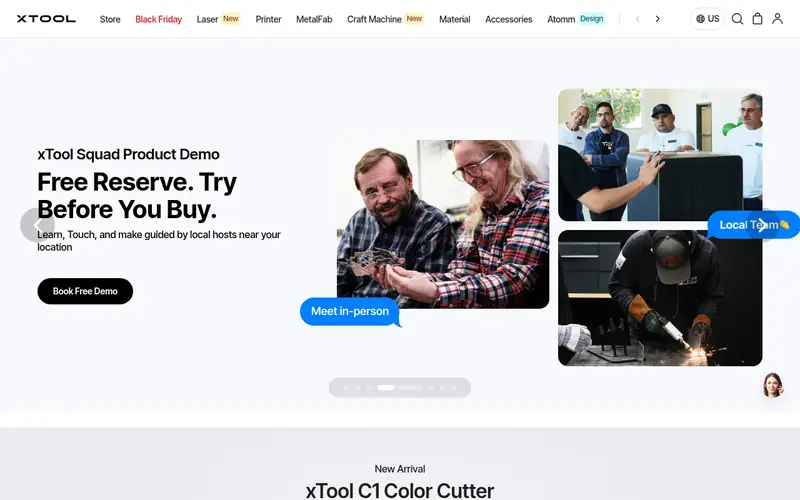
The F1 Ultra pairs a 20W fiber laser with a 20W diode laser, so it covers bare metal marking and also cuts and engraves wood and other non-metals. The vendor lists a 220 by 220 mm working area and a built-in camera for placement. It is enclosed, which matters for fume control and eye safety in a small workshop.
It suits a small business or serious hobbyist who wants one machine for metal tags, tools, phone cases and mixed materials. The main catch is cost: at the vendor's list price it is several times the price of a basic 20W fiber unit. Check the vendor's current spec sheet for spot size and supported materials before ordering.
Where the price comes from
Check current retail price. Hardware prices move often, so check the xTool F1 Ultra maker page or a retailer before you buy.
Benefits
- 20W fiber plus 20W diode in one unit
- 220 by 220 mm work area
- enclosed design with safety lid
Drawbacks
- High price
- large and heavy for a desktop unit
Use case to skip: this limit matters to you: high price.
Our take. A sensible pick for all-round desktop metal marking.
If it does not fit, compare OMTech 60W Fiber Laser Marker or Commarker B4 in this list.
- Best for
- Large parts and deep engraving
- Standout
- 60W fiber source
- Starting price
- Check current retail price
- Free plan or trial
- One-time hardware purchase
The FM60 is a 60W fiber laser marking machine from OMTech, aimed at shops that mark larger metal parts or need deeper engraving than a 20W unit delivers. Higher power generally means faster marking and more headroom on hard metals.
It is a floor or bench machine rather than a portable unit, so plan for space, power and exhaust. It suits a production or job-shop setting more than a home desk. Check the vendor's current listing for the exact work area, warranty and included software.
Where the price comes from
Check current retail price. Hardware prices move often, so check the OMTech 60W Fiber Laser Marker maker page or a retailer before you buy.
Benefits
- 60W fiber source
- larger bed for bigger parts
- suited to deep engraving
Drawbacks
- Bulky and heavy
- needs proper ventilation and space
Use case to skip: this limit matters to you: bulky and heavy.
Our take. A sensible pick for large parts and deep engraving.
If it does not fit, compare xTool F1 Ultra or Commarker B4 in this list.
- Best for
- Budget 20W fiber marking
- Standout
- 20W fiber source
- Starting price
- Check current retail price
- Free plan or trial
- One-time hardware purchase
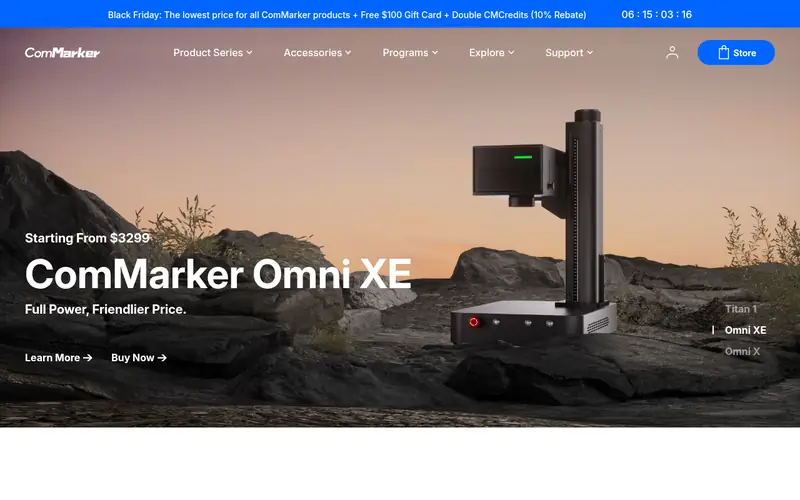
The Commarker B4 is a 20W fiber laser marking machine in a compact desktop format. It targets buyers who want fiber marking on metal without paying premium prices. It uses a fiber source, so it marks stainless steel, aluminum and similar metals directly.
It suits a hobbyist or small shop starting out with metal marking. The catch is that budget machines often ship with basic software and less support, so check what is included and how updates are handled. Confirm the current work area and power on the vendor page.
Where the price comes from
Check current retail price. Hardware prices move often, so check the Commarker B4 maker page or a retailer before you buy.
Benefits
- 20W fiber source
- lower price tier
- compact desktop format
Drawbacks
- Fewer features than premium brands
- check software support
Use case to skip: this limit matters to you: fewer features than premium brands.
Our take. A sensible pick for budget 20W fiber marking.
If it does not fit, compare xTool F1 Ultra or OMTech 60W Fiber Laser Marker in this list.
- Best for
- Enclosed desktop fiber marking
- Standout
- Enclosed design
- Starting price
- Check current retail price
- Free plan or trial
- One-time hardware purchase
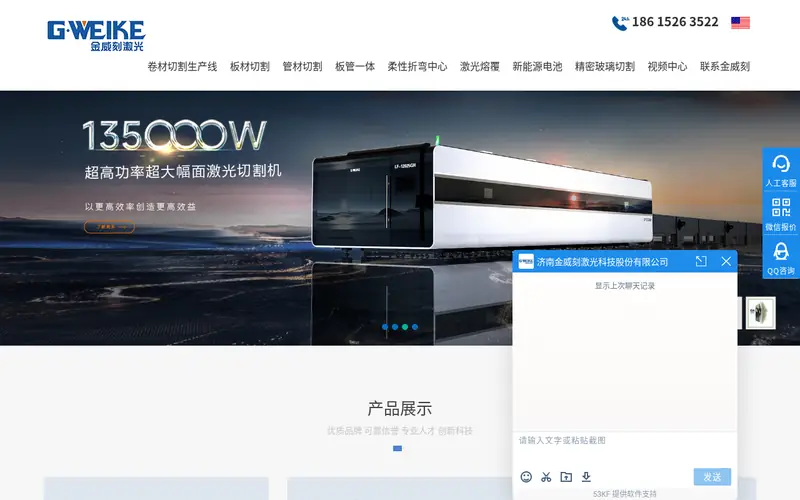
The Gweike G2 is a desktop fiber laser marking machine with an enclosed design, aimed at small shops and makers who want metal marking with some fume and eye protection built in. It uses a fiber laser source rather than a diode.
It suits buyers who want a contained unit on a bench. The catch is that support and shipping vary by region, so confirm warranty and service before ordering. Check the vendor's current page for power options and work area.
Where the price comes from
Check current retail price. Hardware prices move often, so check the Gweike G2 maker page or a retailer before you buy.
Benefits
- Enclosed design
- fiber source
- desktop footprint
Drawbacks
- Check regional support
- confirm current power options
Use case to skip: this limit matters to you: check regional support.
Our take. A sensible pick for enclosed desktop fiber marking.
If it does not fit, compare xTool F1 Ultra or OMTech 60W Fiber Laser Marker in this list.
- Best for
- Metal marking plus mixed-material engraving in one desktop unit
- Standout
- MOPA fiber source plus diode laser in one enclosure
- Starting price
- Check current retail price
- Free plan or trial
- One-time hardware purchase
The F2 Ultra combines a MOPA fiber laser with a diode laser in one desktop enclosure. MOPA fiber sources allow pulse width adjustment, which the vendor documents as enabling color marking on certain stainless steels alongside the usual deep engraving and marking on bare metal. The diode side covers wood, leather and other non-metals, so one machine handles mixed-material jobs.
According to xTool's documentation, the unit includes a camera for positioning work and an enclosed working area for fume and eye protection. It suits a small shop or serious hobbyist who marks metal and also engraves non-metals, and who wants MOPA color marking without a separate industrial fiber unit. Confirm laser power, work area and supported materials on the vendor's current spec sheet before ordering, since configurations and bundles vary.
Where the price comes from
Check current retail price. Hardware prices move often, so check the xTool F2 Ultra maker page or a retailer before you buy.
Benefits
- MOPA fiber source plus diode laser in one enclosure
- MOPA allows color marking on some stainless steels
- camera-assisted placement
Drawbacks
- Premium price
- heavier and larger than single-source desktop units
Use case to skip: this limit matters to you: premium price.
Our take. A sensible pick for metal marking plus mixed-material engraving in one desktop unit.
If it does not fit, compare xTool F1 Ultra or OMTech 60W Fiber Laser Marker in this list.
What specs matter most when buying a fiber laser engraver for metal?
The laser source type comes first: confirm it is a fiber laser, not a diode or CO2 unit, because fiber sources mark bare metal directly. After that, look at average power in watts, the work area in millimeters, and the spot size, which affects fine detail. Pulse frequency and marking speed settings decide how dark or deep a mark can go on stainless steel.
Software matters as much as hardware. Check which program the machine uses, whether it supports common file formats, and whether the vendor provides updates. A machine with good software and modest power often beats a high-power unit with poor control.
Finally, plan for ventilation and safety. Fiber lasers produce fumes when marking coated or contaminated metal, and the beam is hazardous to eyes. An enclosed model or a proper exhaust setup is worth the extra cost. Confirm the warranty length and what it covers, since fiber sources are the expensive part to replace.
Which fiber laser engraver should I buy if I mostly mark small metal items?
Buy the Commarker B4 if you mostly mark tags, jewelry and small tools on a budget: it is a compact 20W fiber marker that only needs a flat bench and ventilation. If you also want a diode laser for wood and acrylic in the same machine, the xTool F1 Ultra covers both jobs. For a shop that marks larger parts or needs deeper engraving, step up to the OMTech 60W Fiber Laser Marker. Buy the smallest machine that covers your typical part size, then spend the savings on ventilation and good software.
Questions worth answering first
Buying checklist
- Confirm the listing says fiber laser source, not diode or CO2.
- Measure your largest typical part and compare it with the stated work area.
- Check the average power in watts and whether it suits your metal and depth needs.
- Confirm which software is included and whether it is updated.
- Plan ventilation and eye safety, or choose an enclosed model.
- Read the warranty terms and what the fiber source replacement would cost.
FAQ
Do fiber lasers mark metal without a coating?
Yes. Fiber lasers mark bare stainless steel, aluminum and brass directly by changing the surface. Diode and CO2 lasers usually need a marking spray or coating on metal, which is why fiber is the better choice for metal work.
Is a 20W fiber laser enough for engraving metal?
For most small marking jobs, yes. A 20W fiber source marks tags, tools and jewelry well. Deeper engraving or larger parts benefit from higher power, such as a 60W machine, which marks faster and with more headroom.
Can a fiber laser engraver cut metal?
Most desktop fiber marking machines are for marking and shallow engraving, not cutting sheet metal. Check the vendor's stated capabilities before assuming a machine can cut. Cutting metal usually needs a different class of machine.
What software do fiber laser engravers use?
It varies by brand. Some use their own app, others work with common laser software. Check the vendor page for the supported program and file formats, and confirm whether updates are free.
Do I need ventilation for a fiber laser engraver?
Yes. Marking metal can produce fumes and particles, especially on coated or dirty parts. Use an enclosure with extraction or a proper exhaust setup, and follow the vendor's safety guidance.
Are portable fiber laser engravers as powerful as desktop ones?
Usually not. Portable units tend to have smaller work areas and lower power to keep size and weight down. They suit small items and on-site jobs, while desktop machines handle larger parts and deeper marks.
Sources we checked
Change log: First published 28 Nov 2026.