7 Best Mini PCs for Office Work in 2026
The Apple Mac mini (M4) is our top pick for most office desks: quiet, compact, and strong on everyday multitasking, with a published starting price of $599. If you need Windows and easy IT management, the Lenovo ThinkCentre M75q Gen 5 Tiny is the safer fleet choice. For a low-cost Windows desktop that still handles spreadsheets and video calls, look at the ASUS NUC 13 Pro or a Dell OptiPlex Micro.
 By Shihab Mia · Published 22 Nov 2026
We run no ads and no affiliate links at launch. The order of a list follows our published method. How lists are ordered: how we score.
Prices are the starting prices vendors list publicly. Plans change, so confirm the current price on the vendor page before you buy.
Key takeaways
- Mac mini (M4) starts at $599 from Apple; RAM and storage are fixed at purchase, so buy enough up front.
- Business mini PCs like the ThinkCentre Tiny and OptiPlex Micro are sold in many configurations; check the current retail price for the spec you need.
- Most office mini PCs ship with one HDMI or DisplayPort plus USB-C video, so confirm your monitor inputs before buying.
- Warranties vary by model and region; business lines often offer on-site service upgrades, consumer models usually carry a shorter base term.
- None of these are software, so there is no free plan; the cost is the hardware plus your operating system licence.
Side-by-side
Grouped by fit and cost. Tap a product to jump to its full entry.
| Fit | Cost | |||
|---|---|---|---|---|
| Product | Best for | Standout feature | Listed starting price | Free plan or trial |
| 1Apple Mac mini (M4) | Quiet everyday office work on macOS | Very small footprint | $599 (base M4 configuration, Apple list price) | One-time hardware purchase |
| 2Lenovo ThinkCentre M75q Gen 5 Tiny | Managed Windows fleets that need service options | Tiny chassis fits under a monitor | Check current retail price (varies by CPU, RAM and storage) | One-time hardware purchase |
| 3Dell OptiPlex Micro | Standardised business desktops with IT support | Very small chassis | Check current retail price (varies by configuration) | One-time hardware purchase |
| 4HP Elite Mini 800 G9 | Compact HP business desktops | Small business chassis | Check current retail price (varies by configuration) | One-time hardware purchase |
| 5ASUS NUC 13 Pro | Flexible small-form-factor Windows desktops | Compact kit design | Check current retail price (varies by kit) | One-time hardware purchase |
| 6ASUS ExpertCenter PN53 | AMD-based compact office desktops | Small chassis | Check current retail price (varies by configuration) | One-time hardware purchase |
| 7Geekom A8 | Budget home-office Windows desktops | Compact metal chassis | Check current retail price (varies by configuration) | One-time hardware purchase |
How we picked
We compared these mini PCs using vendor documentation rather than lab testing. For each model we read the manufacturer's product page and spec sheet, noted the published processor, memory, storage and port options, and recorded the vendor's own starting price where one is listed. We checked warranty and support descriptions on the vendor sites, and noted where a model is sold as a barebones kit or in many configurations. Where a firm price was not published, we marked it as check current retail price instead of estimating. No hands-on benchmarks were run.
The 7 picks in detail

- Best for
- Quiet everyday office work on macOS
- Standout
- Very small footprint
- Starting price
- $599 (base M4 configuration, Apple list price)
- Free plan or trial
- One-time hardware purchase
The Mac mini with the M4 chip is Apple's compact desktop, sold as a bare computer without a monitor, keyboard or mouse. Apple lists a starting price of $599 for the base configuration. It uses unified memory shared between the processor and graphics, which helps with browser tabs, email, documents and video calls. Ports include Thunderbolt, USB, HDMI and Ethernet on the current model, so most office monitors connect directly.
The main catch is fixed hardware. Apple builds memory and storage in at purchase, so choose a configuration that leaves headroom for the next few years. It also runs macOS only, which rules out Windows-only line-of-business software. For a single desk doing documents, web apps and light image work, it is the simplest option here.
Where the price comes from
$599 (base M4 configuration, Apple list price). Hardware prices move often, so check the Apple Mac mini (M4) maker page or a retailer before you buy.
Benefits
- Very small footprint
- silent in light office use
- strong single-core performance for spreadsheets and browsers
Drawbacks
- Memory and storage cannot be upgraded later
- limited to macOS software
Use case to skip: this limit matters to you: memory and storage cannot be upgraded later.
Our take. A sensible pick for quiet everyday office work on macOS.
If it does not fit, compare Lenovo ThinkCentre M75q Gen 5 Tiny or Dell OptiPlex Micro in this list.

- Best for
- Managed Windows fleets that need service options
- Standout
- Tiny chassis fits under a monitor
- Starting price
- Check current retail price (varies by CPU, RAM and storage)
- Free plan or trial
- One-time hardware purchase
The ThinkCentre M75q Gen 5 Tiny is Lenovo's small-form-factor business desktop built around AMD Ryzen processors. Lenovo sells it in many configurations, so the CPU, memory, storage and warranty term depend on the SKU you order. The Tiny form factor is designed to sit under or behind a monitor, which keeps desks clear.
For offices, the appeal is lifecycle support: Lenovo publishes detailed spec sheets and offers extended service options on business lines. The catch is that the base configurations can be modest, so check the memory and storage on the exact model before ordering a batch. Confirm the warranty terms for your region on Lenovo's site.
Where the price comes from
Check current retail price (varies by CPU, RAM and storage). Hardware prices move often, so check the Lenovo ThinkCentre M75q Gen 5 Tiny maker page or a retailer before you buy.
Benefits
- Tiny chassis fits under a monitor
- business warranty and service options
- broad configuration range
Drawbacks
- Price depends heavily on the chosen spec
- some configurations ship with modest base memory
Use case to skip: this limit matters to you: price depends heavily on the chosen spec.
Our take. A sensible pick for managed Windows fleets that need service options.
If it does not fit, compare Apple Mac mini (M4) or Dell OptiPlex Micro in this list.

- Best for
- Standardised business desktops with IT support
- Standout
- Very small chassis
- Starting price
- Check current retail price (varies by configuration)
- Free plan or trial
- One-time hardware purchase
Dell's OptiPlex Micro is the smallest desktop in the OptiPlex business family. Dell sells it with a range of Intel processors, memory and storage options, and publishes spec sheets for each configuration. The Micro chassis is designed for VESA mounting behind a monitor, which suits hot-desk and reception setups.
The practical catch is configuration sprawl. Two OptiPlex Micro machines with the same name can have very different processors and memory, so match the part number to the spec sheet. Dell's business warranty and support options are the reason IT teams pick this line over consumer mini PCs. Check the current retail price for the exact build you need.
Where the price comes from
Check current retail price (varies by configuration). Hardware prices move often, so check the Dell OptiPlex Micro maker page or a retailer before you buy.
Benefits
- Very small chassis
- wide range of business configurations
- Dell publishes clear spec sheets
Drawbacks
- Consumer-facing retail availability varies
- base specs can be low
Use case to skip: this limit matters to you: consumer-facing retail availability varies.
Our take. A sensible pick for standardised business desktops with IT support.
If it does not fit, compare Apple Mac mini (M4) or Lenovo ThinkCentre M75q Gen 5 Tiny in this list.
- Best for
- Compact HP business desktops
- Standout
- Small business chassis
- Starting price
- Check current retail price (varies by configuration)
- Free plan or trial
- One-time hardware purchase
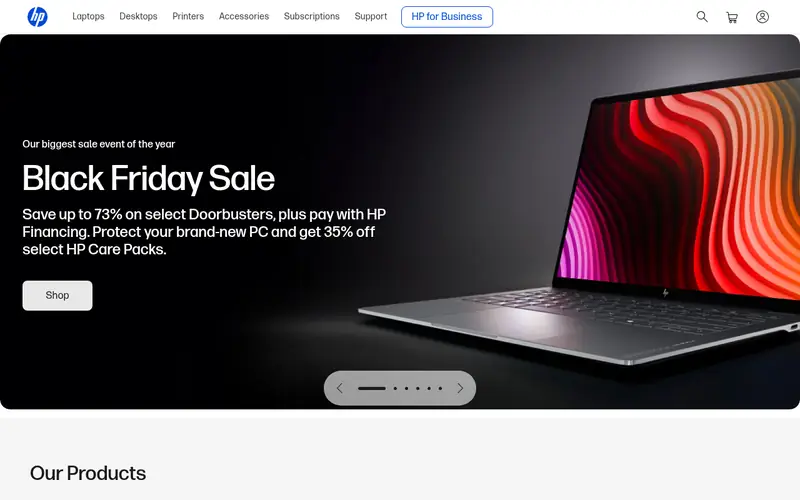
The HP Elite Mini 800 G9 is HP's small-form-factor business desktop. HP documents the available processor, memory, storage and port options in its product specifications, and the chassis is sized to sit on or behind a desk. It is aimed at offices that already standardise on HP hardware and support contracts.
As with other business mini PCs, the model name covers many builds. Check the exact processor, memory and warranty on the HP spec page for the SKU you are buying. The main catch is that retail availability and pricing change often, so confirm the current price and lead time before committing to a fleet order.
Where the price comes from
Check current retail price (varies by configuration). Hardware prices move often, so check the HP Elite Mini 800 G9 maker page or a retailer before you buy.
Benefits
- Small business chassis
- HP publishes detailed documentation
- supports standard office monitor outputs
Drawbacks
- Configuration-dependent pricing
- stock varies by region
Use case to skip: this limit matters to you: configuration-dependent pricing.
Our take. A sensible pick for compact HP business desktops.
If it does not fit, compare Apple Mac mini (M4) or Lenovo ThinkCentre M75q Gen 5 Tiny in this list.
- Best for
- Flexible small-form-factor Windows desktops
- Standout
- Compact kit design
- Starting price
- Check current retail price (varies by kit)
- Free plan or trial
- One-time hardware purchase
The ASUS NUC 13 Pro is a small-form-factor desktop kit. ASUS documents the supported processors, memory types, storage slots and ports in its product specifications. Some kits are sold as barebones units, meaning you add memory, storage and an operating system, while others are sold as complete systems.
That flexibility is the appeal for offices that want to standardise memory and storage themselves. The catch is that a barebones kit is not a finished PC: budget for RAM, an SSD and a Windows licence, and check what the specific kit includes. Confirm current retail availability, since NUC stock and pricing vary.
Where the price comes from
Check current retail price (varies by kit). Hardware prices move often, so check the ASUS NUC 13 Pro maker page or a retailer before you buy.
Benefits
- Compact kit design
- ASUS publishes detailed spec sheets
- broad port selection on the chassis
Drawbacks
- Some kits ship without memory, storage or OS
- availability varies
Use case to skip: this limit matters to you: some kits ship without memory, storage or OS.
Our take. A sensible pick for flexible small-form-factor Windows desktops.
If it does not fit, compare Apple Mac mini (M4) or Lenovo ThinkCentre M75q Gen 5 Tiny in this list.
- Best for
- AMD-based compact office desktops
- Standout
- Small chassis
- Starting price
- Check current retail price (varies by configuration)
- Free plan or trial
- One-time hardware purchase
The ASUS ExpertCenter PN53 is a compact desktop built on AMD Ryzen mobile processors. ASUS lists the supported processors, memory, storage and connectivity in its product documentation. The small chassis suits desks where a tower is impractical.
For office buyers, the key checks are the exact processor, memory and storage in the SKU, plus whether a VESA mount and power adapter are included. ASUS sells this line in several configurations, and availability differs by region. Treat the model name as a family and confirm the spec sheet for the unit you are ordering.
Where the price comes from
Check current retail price (varies by configuration). Hardware prices move often, so check the ASUS ExpertCenter PN53 maker page or a retailer before you buy.
Benefits
- Small chassis
- AMD Ryzen mobile processors
- ASUS publishes configuration details
Drawbacks
- Configuration and regional availability vary
- check included accessories
Use case to skip: this limit matters to you: configuration and regional availability vary.
Our take. A sensible pick for AMD-based compact office desktops.
If it does not fit, compare Apple Mac mini (M4) or Lenovo ThinkCentre M75q Gen 5 Tiny in this list.
- Best for
- Budget home-office Windows desktops
- Standout
- Compact metal chassis
- Starting price
- Check current retail price (varies by configuration)
- Free plan or trial
- One-time hardware purchase
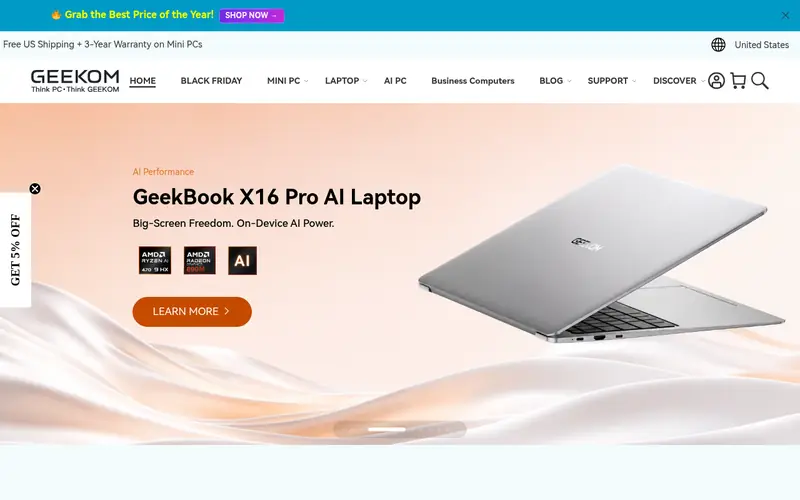
The Geekom A8 is a compact mini PC from a smaller vendor, sold with AMD Ryzen processors and typically as a complete system with memory, storage and Windows preinstalled. It suits home offices and small businesses that want a low-cost Windows desktop for documents, browsers and video calls.
The catch is support. Geekom is not a large enterprise vendor, so warranty handling and driver updates may be less formal than with Dell, HP or Lenovo. Check the warranty terms and return policy for your region before buying, and confirm the exact processor and memory in the listing.
Where the price comes from
Check current retail price (varies by configuration). Hardware prices move often, so check the Geekom A8 maker page or a retailer before you buy.
Benefits
- Compact metal chassis
- AMD Ryzen processor options
- often sold as a complete system
Drawbacks
- Smaller brand with less enterprise support
- check warranty terms for your region
Use case to skip: this limit matters to you: smaller brand with less enterprise support.
Our take. A sensible pick for budget home-office Windows desktops.
If it does not fit, compare Apple Mac mini (M4) or Lenovo ThinkCentre M75q Gen 5 Tiny in this list.
What specs matter when you buy
Start with the processor and memory, because those decide how the machine feels in three years. For office work, a current mid-range Intel Core or AMD Ryzen chip is enough; the bigger risk is too little memory. Aim for at least 16 GB if the machine will run a browser with many tabs, Teams or Zoom, and a spreadsheet at the same time. Check whether memory is soldered or socketed: soldered memory means you must buy enough at purchase.
Storage matters less for speed than for capacity, but an SSD is mandatory. Check the drive type and capacity on the spec sheet, and whether there is a second slot for expansion. For most office desks, a 512 GB SSD is comfortable; 256 GB fills quickly with local files and updates.
Ports decide whether the PC fits your desk. Confirm the video outputs match your monitors: HDMI and DisplayPort are common, and USB-C video is increasingly used. Count USB-A ports for keyboard, mouse and headset, and check for Ethernet if your office uses wired networking. Finally, read the warranty terms and support model. Business lines from Dell, HP and Lenovo often offer on-site service upgrades, while consumer mini PCs usually rely on return-to-base or mail-in support. Match the warranty to how critical the desk is.
Questions worth answering first
Buying checklist
- Confirm the exact processor, memory and storage in the SKU, not just the model family name.
- Check whether memory and storage are upgradeable or fixed at purchase.
- Match the video outputs to your monitor inputs before ordering.
- Count the USB ports you need for keyboard, mouse, headset and any dock.
- Read the warranty term and support type for your region on the vendor site.
- Confirm whether the unit includes a Windows licence, power adapter and VESA mount.
FAQ
Do I need 16 GB of RAM for office work?
For most office desks, 16 GB is the safer choice. A browser with many tabs, a video call and a spreadsheet can use a lot of memory. If the RAM is soldered, buy 16 GB or more at purchase. If it is socketed, 8 GB can work as a starting point with an upgrade later.
Is a Mac mini suitable for a Windows office?
It depends on your software. If your work runs in a browser, email and standard document apps, a Mac mini works well. If you rely on Windows-only line-of-business applications, choose a Windows mini PC instead. Check your key applications for macOS support before buying.
Are business mini PCs worth the extra cost?
Business lines like the Dell OptiPlex Micro, HP Elite Mini and Lenovo ThinkCentre Tiny usually cost more than consumer mini PCs. In return you get documented configurations, longer warranty options and business support channels. For a fleet that IT must manage, that is often worth it.
Can I mount a mini PC behind a monitor?
Many business mini PCs support VESA mounting, but not all include the bracket. Check the box contents and the vendor spec sheet for the exact model. Consumer mini PCs vary more, so confirm before you plan a monitor-mounted setup.
What warranty should I expect?
Warranty terms vary by model and region. Business desktops often offer one-year base coverage with optional extensions and on-site service. Consumer mini PCs usually carry a shorter base term with mail-in support. Always read the warranty document for the country you are buying in.
Do mini PCs include Windows?
Not always. Complete systems from Dell, HP, Lenovo, ASUS and Geekom typically ship with Windows preinstalled, but barebones kits such as some ASUS NUC models do not. Check the listing for the operating system, and budget for a licence if it is not included.
Sources we checked
Change log: First published 22 Nov 2026.